Smart Home on a Budget: Smart Plugs, Doorbells and Thermostats.
A smart home can save time, cut waste, and make everyday routines easier, but it can also turn into a box of mismatched gadgets if you buy too quickly.
The good news is that a useful setup does not need to be expensive. Start with the right hub, add a few high-impact devices, and check compatibility before anything goes in the basket. That approach keeps costs down and avoids the most common setup problems, from weak Wi-Fi to devices that refuse to talk to each other.

Start with the hub before buying devices
The hub is the control centre. It decides which devices work together, which voice assistant you use, and how easy it is to automate routines.
For many homes, the choice comes down to Apple HomeKit or Google Home, though Amazon Alexa and Samsung SmartThings are also common. Each can work well, but they suit different habits.
Apple HomeKit
Google Home
Best for homes already using iPhone, iPad, Apple TV, or HomePod. It is strong on privacy controls and simple app-based automation. Device choice can be narrower, so check labels carefully.
Best for homes using Android phones, Google Nest speakers, or Chromecast. It supports a wide range of devices and voice commands are usually easy to use. Settings can vary by brand.
Matter, the newer smart home standard, helps devices work across platforms. It is useful, but it is not magic. Some features still depend on the manufacturer’s app, and not every older device supports it.
A simple rule helps: pick one main platform first, then buy devices that clearly support it. Mixing platforms is possible, but it adds more apps, more accounts, and more room for confusion.
Smart plugs are the best low-cost starting point
Smart plugs are the easiest way to make a home feel smarter without changing wiring. Plug one into a wall socket, connect a lamp, fan, heater, or appliance, then control it from an app or voice assistant.
They are ideal for:
Lamps on a schedule
Hard-to-reach switches
Holiday lighting
Turning devices off when not in use
Basic routines, such as lights turning on at sunset
The best budget smart plugs share a few traits. They connect reliably to 2.4 GHz Wi-Fi, support your chosen hub, and fit your socket without blocking the second plug point. Some include energy monitoring, which is useful for spotting appliances that use more power than expected.
Avoid using smart plugs with high-load appliances unless the plug clearly supports the required rating. Kettles, heaters, tumble dryers, and similar devices need extra care. If in doubt, skip automation or ask for advice before using one.

Video doorbells are useful, but check the hidden costs
A video doorbell adds convenience and peace of mind. It lets the household see who is at the door, speak to visitors, and receive motion alerts. For flats, rented homes, and busy households, it can be one of the most useful smart upgrades.
There are two main types.
Battery models are easier to install. They suit renters and homes without existing doorbell wiring. The trade-off is charging. Cold weather, heavy motion alerts, and frequent live viewing can drain the battery faster.
Wired models need a suitable transformer and doorbell wiring. They are more permanent and avoid battery charging, but installation can be more involved.
Before buying, check three things:
Whether recorded video needs a paid subscription
Whether your Wi-Fi signal is strong at the front door
Whether the doorbell works with Apple HomeKit, Google Home, or your chosen hub
Video quality matters, but reliability matters more. A slightly cheaper doorbell with stable alerts and clear night vision is often better than a feature-packed model that drops offline.
Privacy settings also deserve attention. Set motion zones carefully, avoid recording public areas where possible, and use strong account security with two-factor authentication.
Smart thermostats can save effort if your heating system supports them
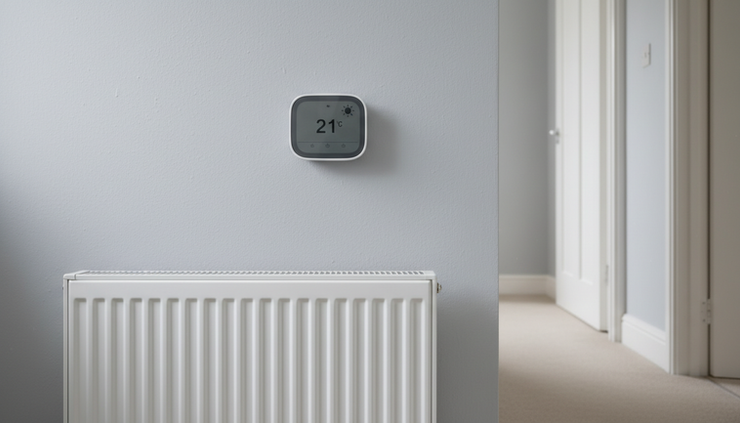
Smart thermostats are more complex than plugs or doorbells, but they can make heating easier to manage. They allow schedules, remote control, and in some cases room-by-room control when paired with smart radiator valves.
The biggest mistake is buying one before checking the heating system. Not every boiler, heat pump, or thermostat wiring setup is the same. Some systems need professional installation. Others may need extra receivers or compatibility checks.
A budget-friendly approach is to focus on the basics:
Remote temperature control
Sensible heating schedules
Frost protection
Simple app controls
Support for the home platform already chosen
Learning features can be helpful, but they are not essential. A well-set schedule often does most of the job. For many homes, the real benefit is avoiding wasted heating when plans change.
Build the system slowly and avoid compatibility traps
A smart home is easier to manage when it grows in stages. Start with one room or one routine, then expand when the first setup works well.
A strong budget plan might look like this:
Choose the main platform, such as Apple HomeKit or Google Home.
Add two or three smart plugs for lamps and simple routines.
Add a video doorbell if the entrance Wi-Fi is reliable.
Add a smart thermostat only after checking heating compatibility.
Use automations sparingly until the basics are stable.
The most common problems are not caused by bad products. They are caused by rushed choices. A plug may need 2.4 GHz Wi-Fi, a doorbell may need better signal at the front door, or a thermostat may not suit the boiler wiring.
Keep device names clear too. “Living room lamp” works better than “Plug 1”. Good names make voice commands and automations far easier.
Security should be part of the setup from the start. Use strong passwords, update device firmware, and remove old devices from apps when they are no longer used. Cheap smart home gear can be useful, but only when it is maintained.

A smart home should make life simpler
The best budget smart home is not the one with the most gadgets. It is the one that solves clear problems: lights that turn on when needed, a doorbell that sends reliable alerts, heating that is easier to control, and a hub that keeps everything in one place.
Buy slowly, check labels, and choose devices that match the platform already used at home. If compatibility, Wi-Fi setup, or heating controls feel confusing, do not guess.
For advice before buying or help getting devices working together, call into WOW IT WORKS for guidance. A short conversation can prevent wasted money, avoid setup frustration, and help build a smart home that actually works.
Save 10% on all callouts and labour by joining CLUB WOW.


Comments