What a VPN Can and Cannot Do Privacy Security Access and Limits
A VPN can make the internet feel more private, more secure, and more open. It can also create a false sense of safety if it is misunderstood.
That is the key point. A virtual private network is useful, but it is not a magic shield. It changes how your internet traffic travels, hides some information from some parties, and helps protect data on untrusted networks. It does not make you anonymous in every situation, stop every scam, or give you permission to ignore laws and terms of service.
The best way to understand a VPN is to treat it like a secure tunnel between your device and a VPN provider’s server. Your internet traffic goes through that tunnel before reaching the wider web. This simple change can have real benefits, but it also comes with trade-offs.

A VPN improves privacy, but it does not make you invisible
A VPN hides your real IP address from websites and apps you visit. Instead of seeing your home broadband or mobile network address, those services usually see the IP address of the VPN server.
That helps in several everyday situations.
If you read news sites, shop online, or browse forums, those sites may use your IP address as one clue to estimate your location. With a VPN, they may see the location of the VPN server instead. If you connect to a server in Manchester, Paris, or Amsterdam, the site may treat your visit as coming from that place.
A VPN also stops your internet service provider from seeing the exact websites you visit in the same way it normally could. Without a VPN, your provider can often see that you connected to a particular domain, such as a news site or shopping site. With a VPN, it mainly sees that you connected to the VPN service. The contents and destinations of your traffic are harder for it to inspect.
That does not mean total anonymity.
A website can still recognise you if you log in. If you sign in to your email, bank, streaming account, or online shop, that service knows it is you. A VPN changes the network route, not your account identity.
Websites can also use cookies, browser fingerprinting, and tracking pixels. For example, if an online shop placed a cookie in your browser last week, it may still recognise your browser today even if your IP address changes. The VPN has hidden one clue, but not every clue.
A clear example helps:
You open a travel site without logging in, while connected to a VPN server in another country. The site may see that VPN server’s location rather than your real one.
You log in to your travel account on the same site. The site now knows which customer account is browsing, even though the IP address belongs to the VPN.
So, a VPN is good for reducing exposure. It is not a cloak of invisibility.
A VPN adds security on risky networks, but it cannot fix unsafe behaviour
Public Wi-Fi is one of the easiest places to understand the value of a VPN.
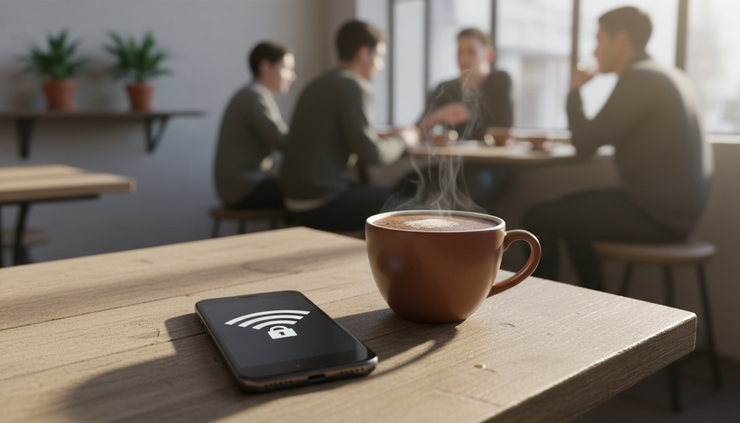
Imagine sitting in a railway station, hotel lobby, airport, library, or café. The Wi-Fi network may be open, shared by strangers, or poorly configured. A VPN encrypts traffic between your device and the VPN server, which makes it much harder for someone on the same network to snoop on your connection.
This matters because public networks are full of unknowns. You may not know who runs the hotspot, how it is secured, or whether someone nearby is trying to monitor traffic. A VPN reduces that risk.
For example, say you connect to free Wi-Fi at a café and check your email. If you use a VPN, people on that local network cannot easily read the traffic moving between your laptop and the VPN server. Modern HTTPS websites already encrypt much of your web activity, but the VPN adds another layer around your connection.
That extra layer is especially helpful when:
using public Wi-Fi
travelling and relying on hotel or airport networks
working from shared accommodation
connecting from a network you do not fully trust
using apps that may not protect all traffic as well as a modern browser
A VPN can also reduce some risks linked to IP-based attacks. If a game server, chat app, or website would otherwise show your IP address to others, the VPN may hide your real one. That can help reduce unwanted attention, such as crude attempts to overload a home connection.
Still, a VPN cannot protect you from everything.
If you download a malicious file, a VPN will not turn it into a safe file. If you type your password into a fake banking page, the VPN will not know that the page is fake. If your device already has spyware installed, the VPN cannot undo the infection.
Common threats a VPN does not stop by itself include:
phishing emails that trick you into giving away passwords
malware hidden in downloads or attachments
weak passwords reused across accounts
scam websites that copy real brands
unsafe browser extensions
data you willingly post online
account breaches at companies you use
Think of it like locking your front door. It helps a lot, but it does not stop someone from persuading you to hand them the key.
For stronger everyday protection, pair a VPN with good habits:
Use unique passwords and a password manager.
Turn on two-factor authentication where possible.
Keep your phone, laptop, browser, and apps updated.
Check web addresses before signing in.
Avoid installing unknown apps or extensions.
Treat unexpected messages and urgent payment requests with caution.
The VPN protects the connection. You still need to protect the device, the accounts, and the decisions made while browsing.
A VPN can unlock location-based content, but access is not guaranteed
One popular reason people use VPNs is to access content that changes by location.
Streaming services, sports platforms, news sites, app stores, and online shops may show different content depending on the country they think you are in. This usually happens because of licensing agreements, regional rules, or local pricing.
A VPN can make your connection appear to come from another region. If a British traveller is abroad and wants to access a UK service they normally use at home, connecting to a UK VPN server may help. If someone wants to read a site that is blocked or unavailable in their current location, a VPN may also help route around that restriction.
Here is a simple example:
A person from the UK travels to Spain. They open a streaming app and find that the programme they were watching at home is missing. By connecting to a UK VPN server, the app may see a UK-based IP address and show the usual UK catalogue.
That can be useful, but access is never certain.
Many streaming platforms actively detect and block VPN traffic. If they recognise the VPN server, they may show an error message, reduce access, or ask the user to turn the VPN off. Even good VPN providers can have servers blocked at times.
There is also a difference between access and permission. A VPN may technically let you reach a service from another place, but the service’s terms may restrict that use. Some countries also restrict or regulate VPN use, especially for bypassing censorship or accessing banned material.
This is where the legal side matters. Laws vary by country, and service terms vary by platform. Using a VPN is legal in many places, including the UK, but what you do with it still matters. A VPN does not make illegal activity legal. It also does not cancel a contract you agreed to when signing up for a service.
This article is general information, not legal advice. If the consequences are serious, check the relevant law or the rules of the service before relying on a VPN.

A VPN may slow your connection because your data takes a longer route
A VPN adds extra steps to your connection. Your data travels from your device to the VPN server, then out to the website or app, then back the same way. The traffic also needs to be encrypted and decrypted.
That can reduce speed.
The difference may be small if you choose a nearby server and use a good connection. It may be obvious if the server is far away, crowded, or poorly maintained.
For example:
Connecting from London to a VPN server in London will often feel faster than connecting to one in Australia.
Streaming standard video may work fine, while 4K video may buffer if the VPN server is busy.
Online gaming may feel worse because it depends on low latency, not just download speed.
Large file downloads may take longer if the VPN provider limits bandwidth.
Speed depends on several factors:
Factor | Why it matters |
Server distance | A farther server usually means more delay. |
Server load | A busy server can slow everyone down. |
VPN protocol | Some protocols are faster or more stable than others. |
Your base connection | A slow broadband or mobile signal leaves less room for loss. |
Device performance | Older devices may handle encryption more slowly. |
A VPN can sometimes improve a bad route if your normal provider sends traffic through an inefficient path, but that is the exception rather than the rule. Most of the time, expect at least some loss.
The practical answer is to choose the closest suitable server. If privacy is the goal, a nearby server is usually enough. If location access is the goal, choose the region you need and accept that speed may change.
A VPN shifts trust from one company to another
Without a VPN, your internet service provider handles your connection. With a VPN, your VPN provider handles a major part of it. That means you have not removed trust from the equation. You have moved it.
A VPN provider may be able to see connection metadata, such as when you connect, which server you use, and how much data passes through. Depending on its systems and policies, it may have more or less visibility than that. This is why provider choice matters.
Look for clear answers to basic questions:
Does the provider explain what it logs?
Does it have a history of independent audits?
Is the privacy policy written in plain language?
Does it support modern encryption protocols?
Does it offer a kill switch to block traffic if the VPN drops?
Does it avoid exaggerated claims such as making users “completely anonymous”?
A kill switch is a useful feature. If your VPN disconnects unexpectedly, the kill switch can stop your device from continuing on the regular internet connection. Without it, your real IP address could appear during the drop.
Also check the device limit, supported platforms, and ease of use. A VPN you never turn on because it is awkward will not help much.
Free VPNs deserve extra caution. Running a VPN network costs money. If a service is free, it may rely on ads, data collection, limited speeds, or very small server options. Some free services are legitimate but restricted. Others may be poor choices for privacy.
Paid does not always mean trustworthy, but “free” should raise questions.

What a VPN is best used for
A VPN is most useful when the goal is clear. It works well for some jobs and poorly for others.
A VPN is a good fit for:
improving privacy from local networks and internet providers
protecting traffic on public Wi-Fi
hiding your real IP address from many websites and apps
reducing location-based tracking based on IP address
accessing services that are available in one region but not another
safer browsing while travelling
A VPN is not the right tool for:
stopping all scams and phishing attempts
making weak passwords safe
removing viruses or spyware
guaranteeing total anonymity
making illegal activity legal
confirming that every website or file is trustworthy
always increasing internet speed
The simplest way to remember it is this: a VPN protects the path, not the whole journey.
If the path is the risky part, such as public Wi-Fi or IP exposure, a VPN can help a lot. If the problem is a fake login page, a stolen password, or malware, other tools and habits matter more.
The balanced takeaway
A VPN is a strong privacy and security tool when used for the right reasons. It can hide your IP address, protect traffic on untrusted networks, reduce some tracking, and help with region-based access. Those are real benefits.
At the same time, it has limits. It may slow your connection. It cannot stop every cyber threat. It does not make accounts anonymous once you log in. It does not erase cookies or prevent you from being tricked. It does not override laws or service agreements.
The best approach is simple. Use a VPN as one layer in a wider safety setup. Pair it with strong passwords, software updates, two-factor authentication, careful browsing, and a sceptical eye for scams.
That gives you the real value of a VPN without expecting it to do a job it was never built to do.
Not sure about VPNs? Ask us and we can help.


Comments